Parimarjan Plus is Bihar’s online correction service for eligible Jamabandi problems. The official Jamabandi FAQ describes its use for errors in digitised entries and for certain valid older Jamabandis that were missed during computerisation. An application must be supported by records and is examined through the prescribed process.
The portal is not a shortcut for transferring land to a new owner. If a sale, inheritance, gift, or partition is the real basis for changing the raiyat, mutation is generally the relevant process. A disputed title may require an appeal, revenue proceeding, or civil remedy.
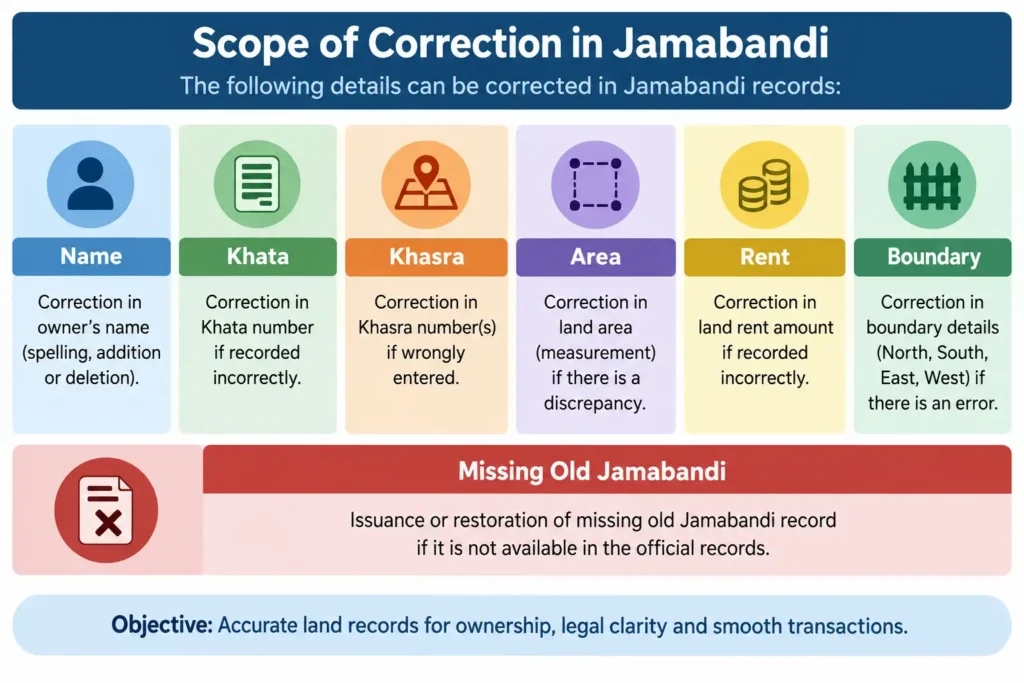
Problems that may fall within Parimarjan Plus
Depending on the category and supporting base record, eligible issues can include an incorrect or missing name detail, khata, khasra, boundary description, area, rent amount, or related Jamabandi entry. The official guidance also addresses a valid old Jamabandi that does not appear online after digitisation.
Some correction categories depend on whether the Jamabandi existed before online mutation or was created after an online mutation order. A wrong mauza entry can also have a separate offline process before the Circle Officer. Choose the category by identifying the source of the error, not merely the field that looks wrong.
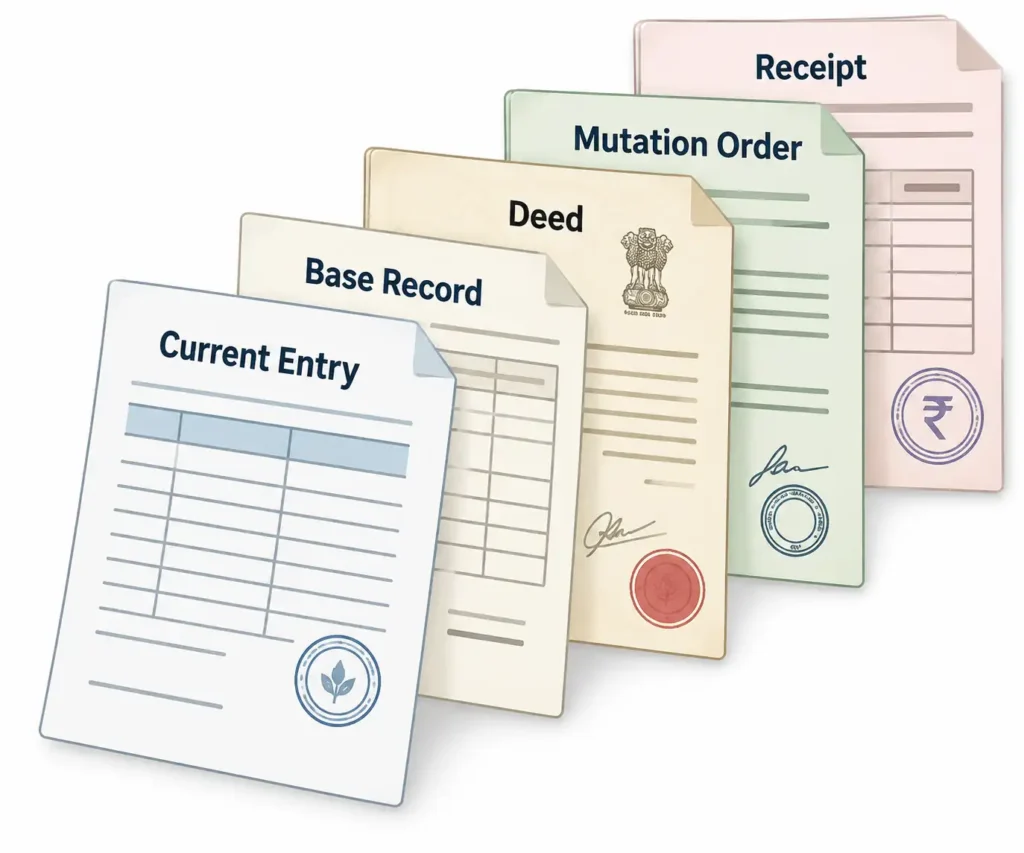
Documents to collect before applying
- Current online Jamabandi printout, if available
- Old Jamabandi or Register-II copy
- Relevant khatiyan
- Registered deed or accepted transaction document
- Mutation order and correction slip, where the entry came from mutation
- Previous land-rent receipts
- Certified order or other supporting record, where applicable
The strongest application explains what the portal shows, what the underlying record shows, and the exact correction requested. Upload complete, readable pages. An assertion without supporting evidence is unlikely to resolve a record discrepancy.
How to apply through Parimarjan Plus Bihar
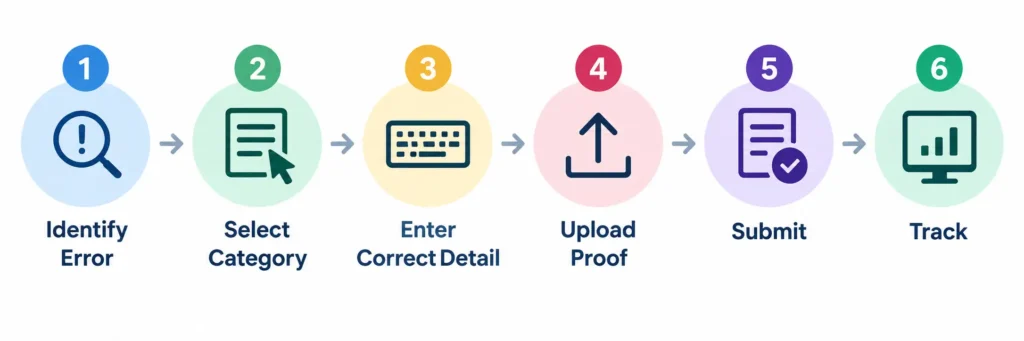
- Open the Parimarjan Plus service from the official Bihar land portal or visit the verified government service domain.
- Register or sign in as required.
- Select the district, circle, mauza, and relevant Jamabandi details.
- Choose the correction or missing-digitisation category that matches the problem.
- Enter the current entry and the requested correct entry carefully.
- Write a short factual explanation that connects the request to the supporting record.
- Upload clear evidence in the required format and size.
- Review the full application before final submission.
- Save the acknowledgement or application number.
How to track the application
Use the official status option with the requested application details. Status labels can show that the matter is submitted, under examination, returned for correction, approved, rejected, or disposed of. Read any remark or order rather than relying only on the colour or short label.
If the application is returned, correct the exact defect and upload the requested evidence through the permitted route. Do not create multiple fresh applications until you know why the first one was returned.
Why applications are returned or rejected
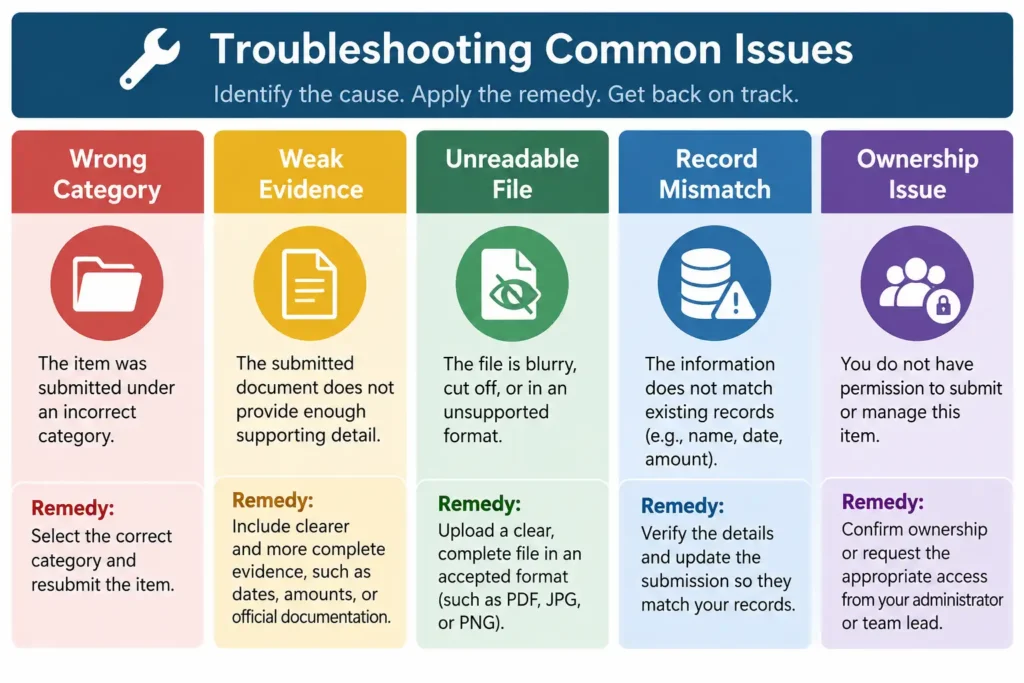
Common reasons include selecting the wrong category, mismatch between the requested correction and base record, incomplete documents, unreadable scans, wrong mauza or Jamabandi, and attempting to resolve an ownership transfer as a clerical correction. A reasoned rejection should be read alongside the documents that were submitted.
Parimarjan Plus versus mutation
Parimarjan corrects an eligible record error or helps digitise a qualifying old Jamabandi. Mutation records a recognised change of rights after events such as sale or inheritance. If the requested result is to replace one owner with another, first identify the legal basis and use the correct mutation or adjudicatory process.
What can be corrected through Parimarjan Plus Bihar?
Eligible digitised Jamabandi errors and certain valid old Jamabandis missed during computerisation can be addressed with supporting evidence under the appropriate category.
Can Parimarjan Plus transfer land to a new owner?
It is not a substitute for mutation. A change based on sale, inheritance, gift, or partition should follow the relevant mutation or legal process.
Which documents should I upload?
Use documents that prove the correct entry, such as old Jamabandi, Register-II, khatiyan, deed, mutation order, correction slip, rent receipt, or a certified order, as applicable.
How can I check Parimarjan Plus status?
Use the official status service with the acknowledgement or application details and read all remarks or orders shown against the application.
Why was my application returned?
It may have the wrong category, weak or unreadable evidence, a mismatch in land details, or a request outside the scope of record correction. Read the stated defect before resubmitting.
Can a missing old Jamabandi be brought online?
The official Jamabandi guidance provides a Parimarjan Plus route for qualifying older Jamabandis missed during computerisation, subject to evidence and verification.
बिहार भूमि की महत्वपूर्ण आधिकारिक सेवाएं
बिहार सरकार की भूमि एवं राजस्व सेवाओं के आधिकारिक लिंक एक ही जगह