Bhu Naksha Bihar is the state’s online cadastral map viewer. Where digital map data is available, users can select a location and inspect numbered plots within a survey sheet. The map can help identify a plot’s position and neighbouring plot numbers, but it does not replace a textual land record or an authorised field measurement.
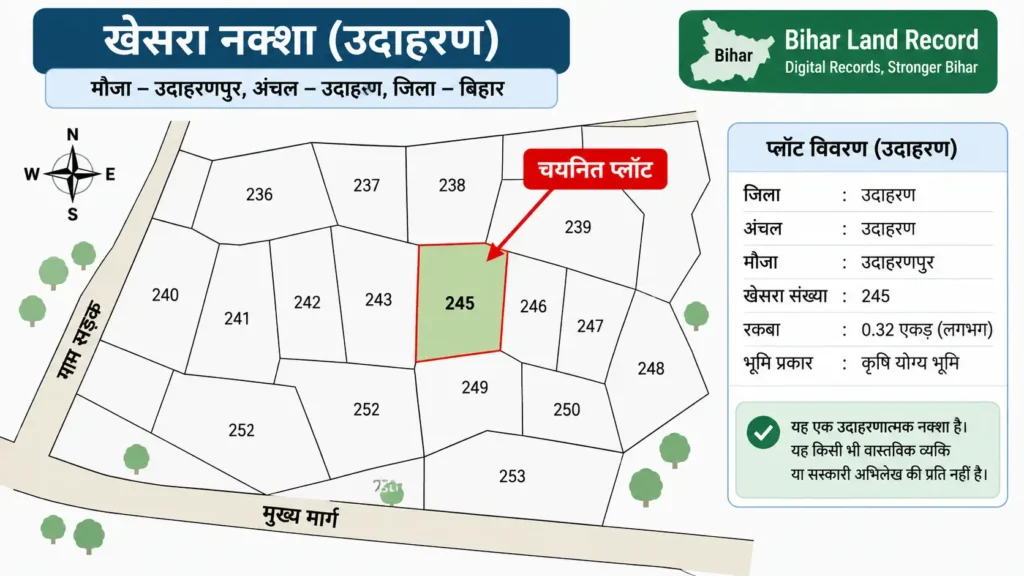
This distinction matters whenever a boundary is disputed. A line visible on a phone screen may be affected by zoom, sheet selection, or the limits of digitised data. Formal demarcation usually requires the relevant survey record, fixed ground references, and measurement through the competent process.
Information required to find a plot
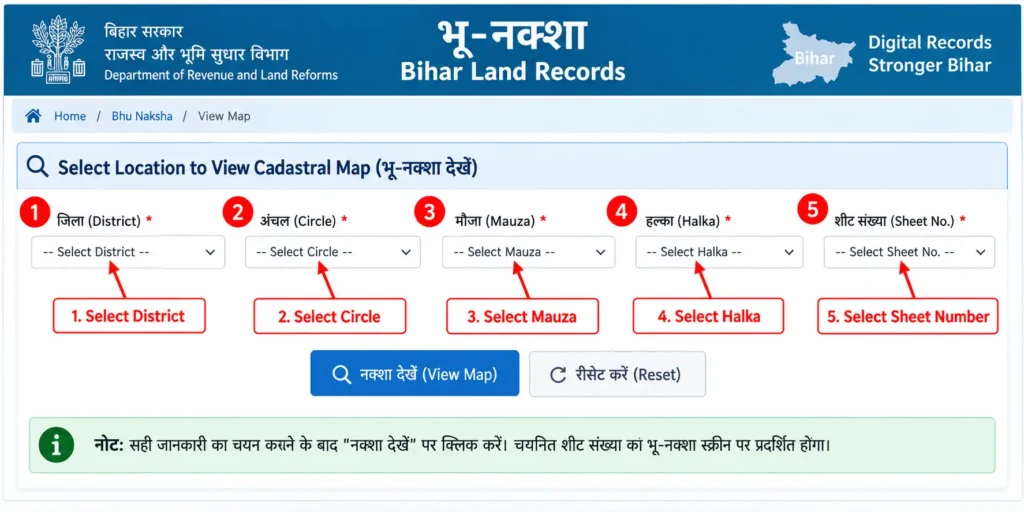
The official map viewer presents location fields for State, District, Sub Division, Circle, Mauza, Survey Type, Map Instance, and Sheet Number. A user may then select or search for a plot and review the Plot Info panel. Keep the khasra or plot number ready, but also confirm which survey—such as CS or RS—produced that number.
One mauza may cover several map sheets, and plot numbering may differ between surveys. If the plot is not visible, the error may be the sheet or survey type rather than the khasra number itself.
Step-by-step process to view Bhu Naksha Bihar
- Visit the official map portal at https://bhunaksha.bihar.gov.in/.
- Confirm that Bihar is selected as the state.
- Choose the district, sub division, and circle.
- Select the correct mauza.
- Choose the survey type and map instance available for that location.
- Select the relevant sheet number and allow the map to load.
- Enter the plot number where a search field is available, or select the plot on the map.
- Read the Plot Info panel and compare it with the khatiyan, Jamabandi, and deed.
- Use the print or report feature only as directed by the portal; obtain an authorised copy if an office requires one.
Reading Plot Info correctly
The panel may display the selected plot number and other record information supported by the map system. Treat it as a navigation aid. If the number is correct but the position looks unfamiliar, return to the survey type, map instance, sheet, and mauza fields before drawing a conclusion.
Look at adjoining plots as well as the highlighted polygon. Deed boundaries often refer to neighbours, roads, channels, or other physical features, so a wider map view can be more informative than a close-up of one plot.
Online map versus official land measurement
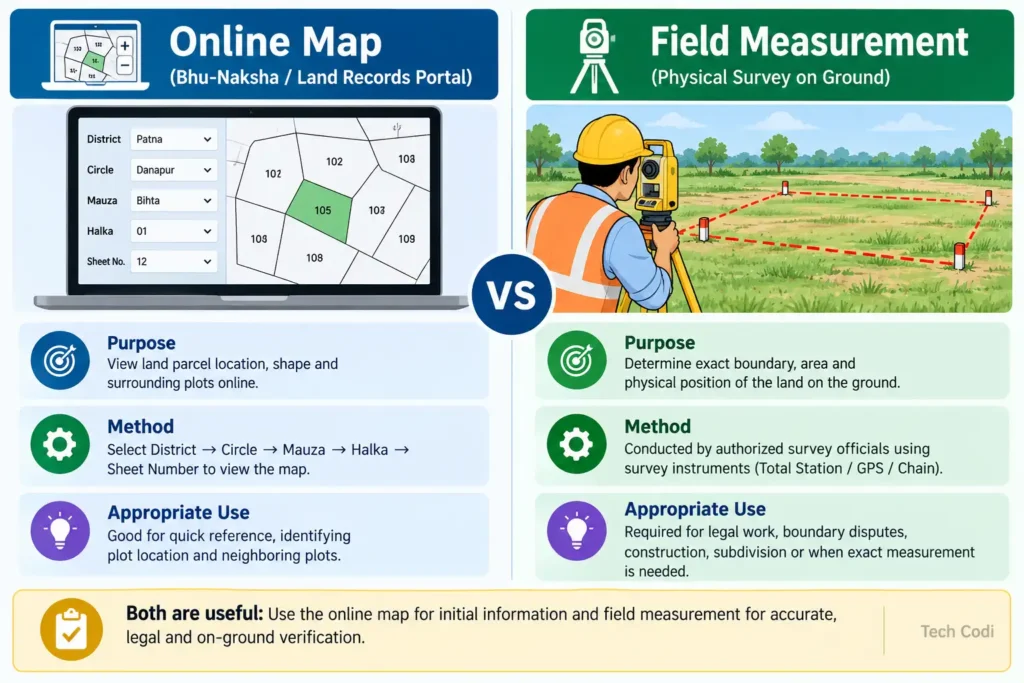
An online map answers “where does this plot appear on the survey sheet?” A field measurement addresses “where does the legally relevant boundary fall on the ground?” The second question may require an authorised amin, the applicable survey record, and a formal measurement process.
If the map does not load
First recheck every location field. Try a stable internet connection and a current browser. On a small phone, desktop view may make the selectors easier to use. A blank sheet can also mean that the selected map is not publicly available in digital form, in which case the circle or survey office can explain how to request the relevant map copy.
Avoid entering Aadhaar, OTP, deed scans, or payment information on unofficial lookalike websites. Begin from the Bihar government portal and verify the domain before using any land service.
Checks to make before a land purchase
Compare the map location with the deed schedule, access road, neighbouring plots, Jamabandi, and khatiyan. Check whether the property spans more than one sheet or survey reference. Do not decide questions of encroachment, acquisition, government land, water bodies, or land-use restrictions from Bhu Naksha alone.
Can Bhu Naksha Bihar be used on a mobile phone?
Yes, it can open in a modern mobile browser, although large survey sheets and multiple selectors are usually easier to handle on a desktop or tablet.
Why does my plot number not appear?
The wrong mauza, survey type, map instance, or sheet may be selected. Plot numbering can also change between old and later surveys.
Is the map shown online a certified map?
The public viewer is useful for information and comparison. A formal transaction, court matter, or measurement may require an authorised or certified copy.
Can Bhu Naksha determine the exact boundary on the ground?
No. Exact demarcation may require an official measurement based on the applicable survey record and ground references.
Is Bhu Naksha the same as Google Maps?
No. Bhu Naksha displays cadastral or revenue-map information, while Google or Bing imagery provides geographic background. Their purpose, scale, and date can differ.
What should I do if the wrong plot appears?
Recheck the mauza, survey type, map instance, sheet, and plot number. Compare the result with khatiyan and Jamabandi, then seek guidance from the relevant survey or circle office if the mismatch remains.
बिहार भूमि की महत्वपूर्ण आधिकारिक सेवाएं
बिहार सरकार की भूमि एवं राजस्व सेवाओं के आधिकारिक लिंक एक ही जगह