Bihar Naya Khatiyan is an important land record for property owners and landholders in Bihar. The Bihar Government’s Department of Revenue and Land Reforms provides an online Right of Records (RoR) facility through which citizens can view available land records online.
If you want to check your Bihar New Khatiyan, land details, Khata number, Khesra number, Raiyat name, land area, or other available land-record information, you can use the official Bihar RoR portal.
The portal provides options to select the District, Sub-Division, Circle and Mauza and then search available records using different search methods.
What is Bihar Naya Khatiyan?
A Khatiyan is a land record containing important information about land and the person recorded as the Raiyat or landholder. A new or updated Khatiyan may contain information associated with the latest land-record updating or survey process.
The Bihar Government is also carrying out land-survey and record-updating work using modern technology. According to the Department of Revenue and Land Reforms, aerial photography and digital mapping are being used as part of the process of preparing updated maps and Khatiyan after ground verification.
Therefore, people searching for Bihar Naya Khatiyan 2026, New Khatiyan Bihar, or Bihar Khatiyan Online should use the official government portal rather than relying on unofficial websites.
Where Can Bihar Naya Khatiyan Be Checked?
Bihar Naya Khatiyan can be checked through the Bihar Government’s View Right of Records (RoR) portal. View Bihar Naya Khatiyan Online
The official portal is maintained by the Department of Revenue and Land Reforms, Government of Bihar, and the website is designed and developed by the National Informatics Centre (NIC), Bihar.
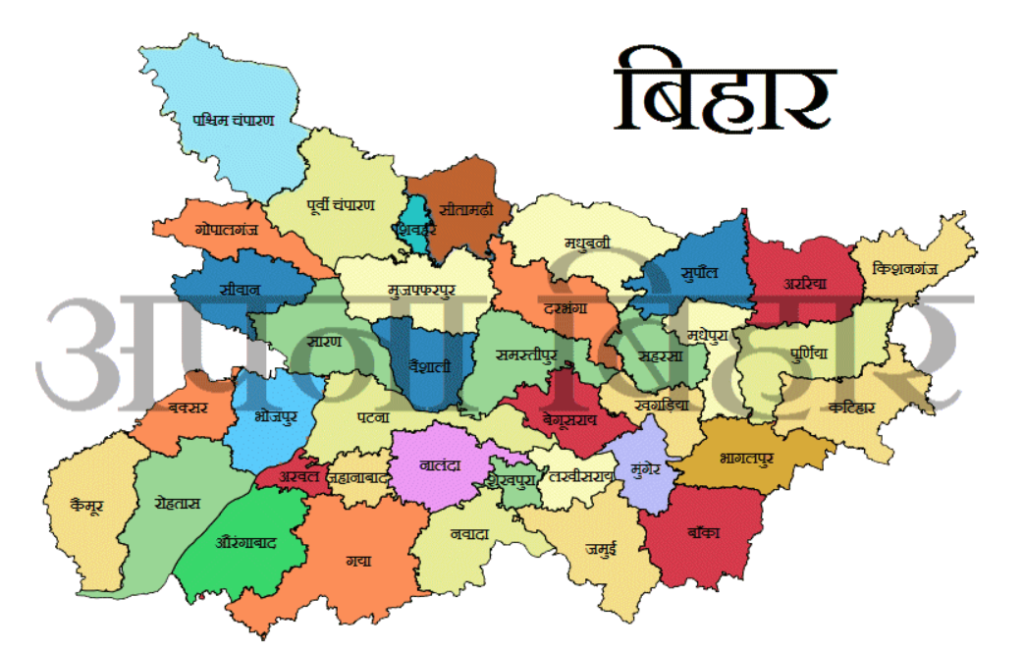
How to Check Bihar Naya Khatiyan Online?
You can follow the steps below to check the available land record online:
- Step 1: Open the Official Website
- First, visit the official Bihar RoR website. Official Bihar RoR Website
- Avoid entering your land details on unknown third-party websites.
- Step 2: Select Your District
- After opening the RoR portal, select the District where your land is located.
- Make sure you select the correct district because several villages and land records may have similar names in different areas.
- Step 3: Select the Sub-Division
- After selecting the district, choose the relevant Sub-Division.
- The available options depend on the selected district.
- Step 4: Select the Circle
- Next, select your Circle (Anchal).
- The Circle is an important selection because the land record is associated with a particular revenue circle.
- Step 5: Select the Mauza
- After selecting the Circle, choose the appropriate Mauza.
- The official portal displays the available Mauza list and provides filtering options to help users find the required village/Mauza.
- Step 6: Select a Search Method
- After selecting the Mauza, the portal provides several ways to search land records.
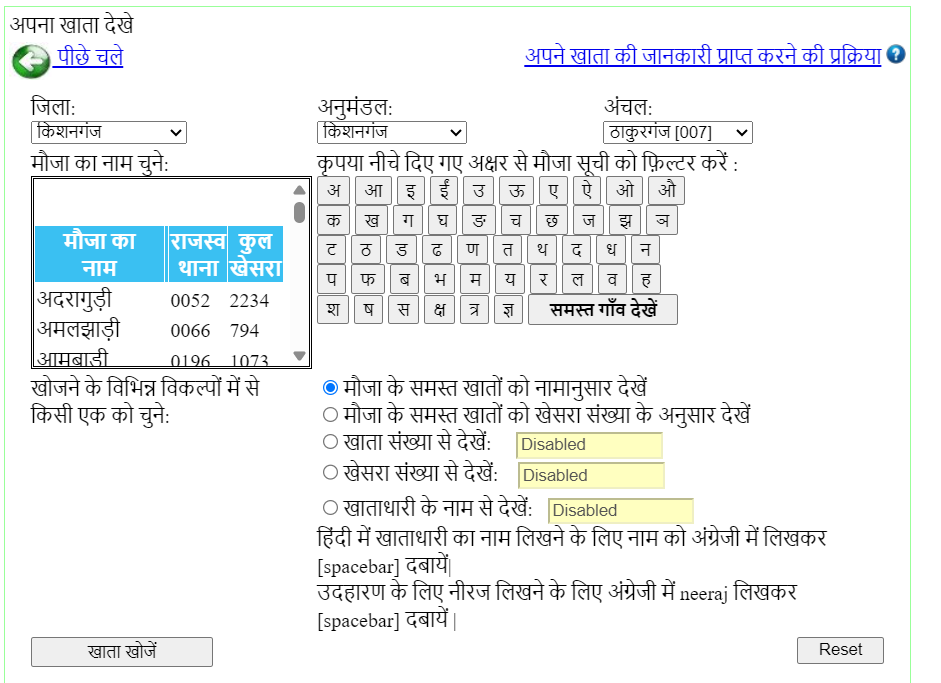
The available options can include:
- View all accounts of the Mauza by name
- View all accounts according to Khesra number
- Search by Khata number
- Search by Khesra number
- Search by Raiyat/account holder name
The exact search options available may depend on the selected location and record data.
- Step 7: Enter the Required Details
- If you select Khata Number, enter the relevant Khata number.
- If you select Khesra Number, enter the relevant Khesra number.
- If you choose the Raiyat Name option, enter the name of the recorded landholder.
The portal also provides instructions for entering a Raiyat name in Hindi. It indicates that users can type the name in English and press the Spacebar to convert/select the Hindi name.
Step 8: View the Land Record
After entering the required information, use the search option provided on the portal.
If the corresponding record is available, the land-record details will be displayed on the screen.
What Information Can Be Found in Bihar Khatiyan?
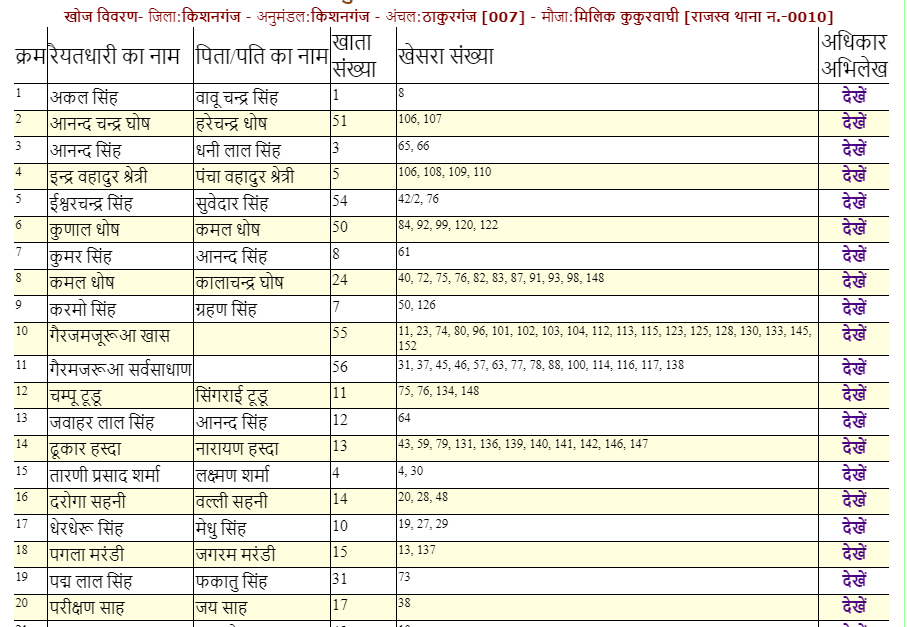
Depending on the particular record, the RoR document can contain several important land-related details.
These may include:
- Raiyat name
- Father’s or husband’s name
- District
- Circle
- Mauza
- Khata number
- Khesra number
- Type/classification of land
- Land area or Rakba
- Possession-related information
- Revenue and cess details
- Jamabandi-related information
- Details relating to recorded changes or orders
An example of an official Bihar RoR record shows fields such as Raiyat name, father’s/husband’s name, district, Circle, Mauza, Khata number, Khesra number, land type and Rakba.
How to Search Bihar Khatiyan by Raiyat Name?
If you do not know the Khata number, the Raiyat Name search option can be useful where it is available.
Follow these steps:
- Open the official Bihar RoR portal.
- Select District.
- Select Sub-Division.
- Select Circle.
- Select Mauza.
- Choose the Raiyat-name search option.
- Enter the landholder’s name.
- Search the available records.
- Check the displayed land details carefully.
The official portal specifically provides a Raiyat-name search option and gives instructions for typing Hindi names using English input followed by the Spacebar.
How to Check Bihar Khatiyan by Khata Number?
If you already know your Khata Number, you can use the Khata-number search option after selecting the correct location.
A typical process is:
District → Sub-Division → Circle → Mauza → Khata Number → Search
The official RoR interface includes a dedicated option for viewing records by Khata number where that option is enabled for the selected Mauza.
How to Check Bihar Khatiyan by Khesra Number?
A Khesra Number is another important identifier used in Bihar land records.
If you know your Khesra number, select the appropriate District, Sub-Division, Circle and Mauza and then use the Khesra-number search option where available.
This can help users locate a particular parcel within the selected Mauza.
Difference Between Khatiyan and Jamabandi
Khatiyan and Jamabandi are both important land-record concepts, but they should not automatically be treated as identical documents.
A Khatiyan/RoR can contain details concerning the recorded Raiyat and land parcel, while Jamabandi relates to the revenue record associated with the land.
For important property transactions or legal matters, users should verify the relevant records and supporting documents rather than relying on a single online entry.
Important Things to Check in Your New Khatiyan
After opening the record, carefully check the following information:
1. Raiyat Name
Check whether the recorded landholder’s name is correct.
2. Khata Number
Verify that the Khata number corresponds to your land documents.
3. Khesra Number
Compare the Khesra number with your available previous land records.
4. Land Area
Check the recorded Rakba or area and compare it with your supporting documents.
5. Land Type
Check the recorded nature or classification of the land.
6. Mauza and Circle
Make sure the selected Mauza and Circle are correct.
What If There Is an Error in Bihar Naya Khatiyan?
If you find an error in the online land record, such as an incorrect name, Khata number, Khesra number, land area or other important information, do not assume that the online entry itself automatically establishes the final legal position.
The appropriate revenue office should be contacted to understand the applicable correction or objection process.
The Bihar Revenue and Land Reforms Department also publishes contact information for Circle Officers across Bihar.
Important Notice About the New Khatiyan
Users should pay special attention to the status of the record displayed online.
An official Bihar RoR record currently available on the portal contains a notice stating that the Chalu Khatiyan was published as a draft and that typographical or other errors may exist. The notice further states that such a draft does not currently have legal validity for accepting a land-ownership claim and provides a process for filing objections with the concerned Circle Office within the specified period mentioned in the notice.
Therefore, before using a New Khatiyan for a property transaction, ownership claim, dispute or other legal purpose, carefully read the status and disclaimer displayed with the particular record.
Can Bihar Naya Khatiyan Be Downloaded?
The availability of printing or saving a record can depend on the particular page and record interface.
If the record page provides a print or download option, you can use the available browser or portal function to save a copy for your personal reference.
However, a downloaded copy should not automatically be treated as a legally certified document. For legal or official purposes, users should verify whether a certified copy or another officially recognized document is required.
Bihar Land Records Official Website
The Bihar Department of Revenue and Land Reforms provides several online land-related services, including Online Mutation, Online Jamabandi, Parimajan Plus, Bhu-Naksha, Bhu-Abhilekh and other services. The department’s official website also provides a helpline number and links to various land-record services.
For checking the available New Khatiyan/RoR record, use:
Bihar Naya Khatiyan – View RoR
Frequently Asked Questions (FAQs)
What is Bihar Naya Khatiyan?
Bihar Naya Khatiyan refers to updated/new land-record information prepared or made available through Bihar’s land-record and survey processes. The exact status of a record should be checked on the official portal.
Where can I check Bihar Naya Khatiyan online?
You can check available RoR/Khatiyan information through the official Bihar Government RoR portal.
Can I search Khatiyan by name?
Yes. Where enabled for the selected Mauza, the official portal provides an option to search by Raiyat/account-holder name.
Can I search Bihar Khatiyan by Khata Number?
Yes. The RoR portal provides a Khata-number search option for locations where the option is available.
Can I search Bihar Khatiyan by Khesra Number?
Yes. The portal provides a Khesra-number search option where available for the selected Mauza.
What should I do if my name is incorrect?
If the information shown in the record appears incorrect, compare it with your supporting documents and contact the appropriate Circle/Revenue Office regarding the applicable correction or objection procedure.
Is the online New Khatiyan always a final legal document?
Not necessarily. The status of the particular record matters. Some records displayed on the official portal may be drafts, and the portal itself can contain specific legal notices or disclaimers. Always check the notice attached to the record.
Conclusion
Checking Bihar Naya Khatiyan Online has become easier through the Bihar Government’s official Right of Records portal. Users can select their District, Sub-Division, Circle and Mauza and, depending on availability, search land records by Khata number, Khesra number, Raiyat name or other available options.
Before using the information for an important property transaction or legal purpose, carefully verify the Raiyat name, Khata number, Khesra number, land area, land classification and record status. If there is any discrepancy, contact the concerned revenue authority and follow the applicable correction or objection procedure.
बिहार भूमि की महत्वपूर्ण आधिकारिक सेवाएं
बिहार सरकार की भूमि एवं राजस्व सेवाओं के आधिकारिक लिंक एक ही जगह